








Recruitment Software that Takes You from Job Post to Hired Employee
Post jobs, move candidates through your hiring pipeline, collect interview feedback and send offers. Accepted offers become employee records with no re-entry.




Hired · Onboarding starts

Hannah Schmidt
Pastry Chef · W-4 & I-9 queued automatically
Jobs overview
Every Open Role — One Clear View
See applicants, pipeline stage counts and posting status for every role, across departments and locations. Pause, close or duplicate a job in one click.
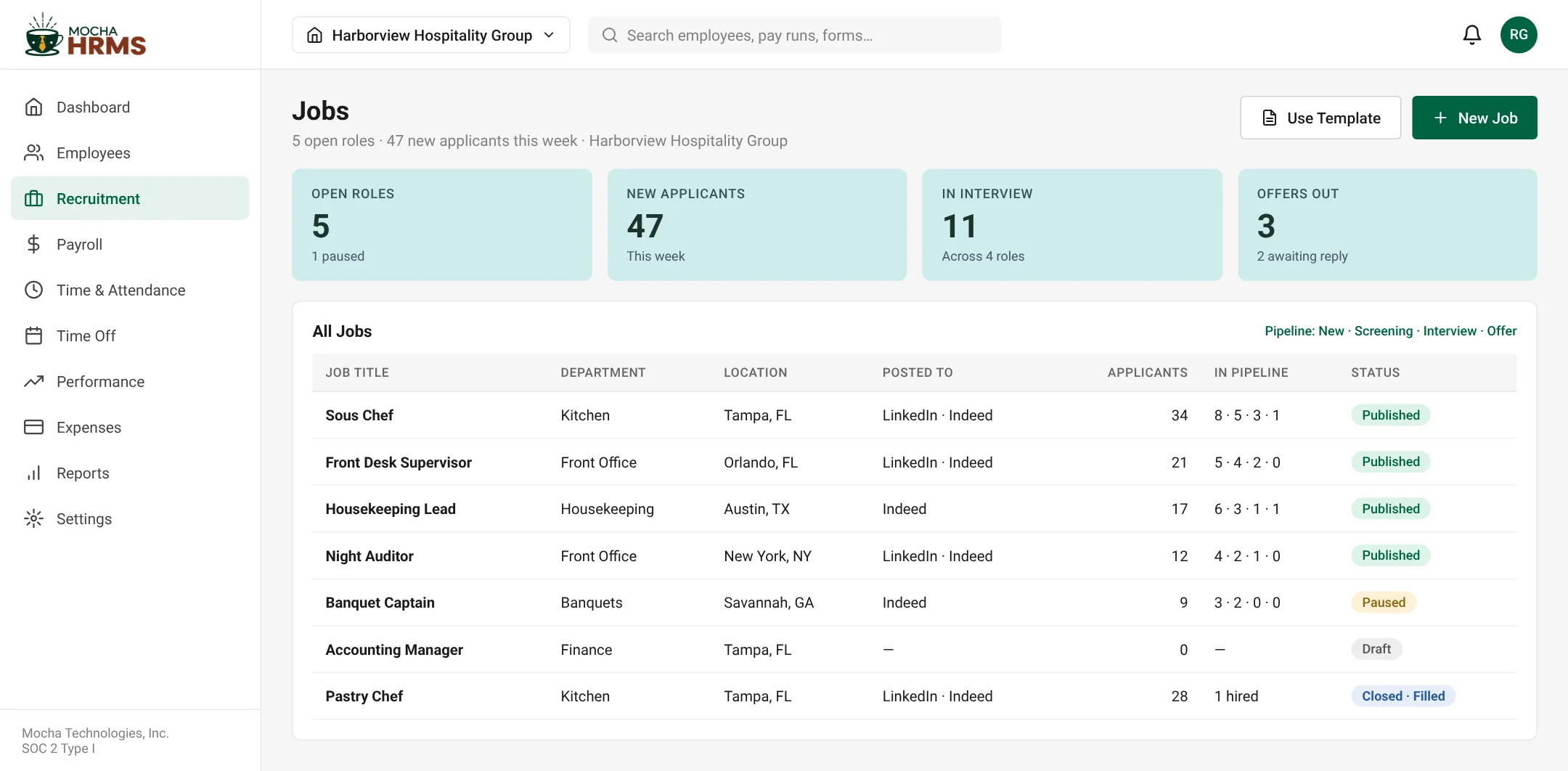
Jobs — open roles, applicants and pipeline by stage
Screens show sample data for a fictional company. Click to enlarge.
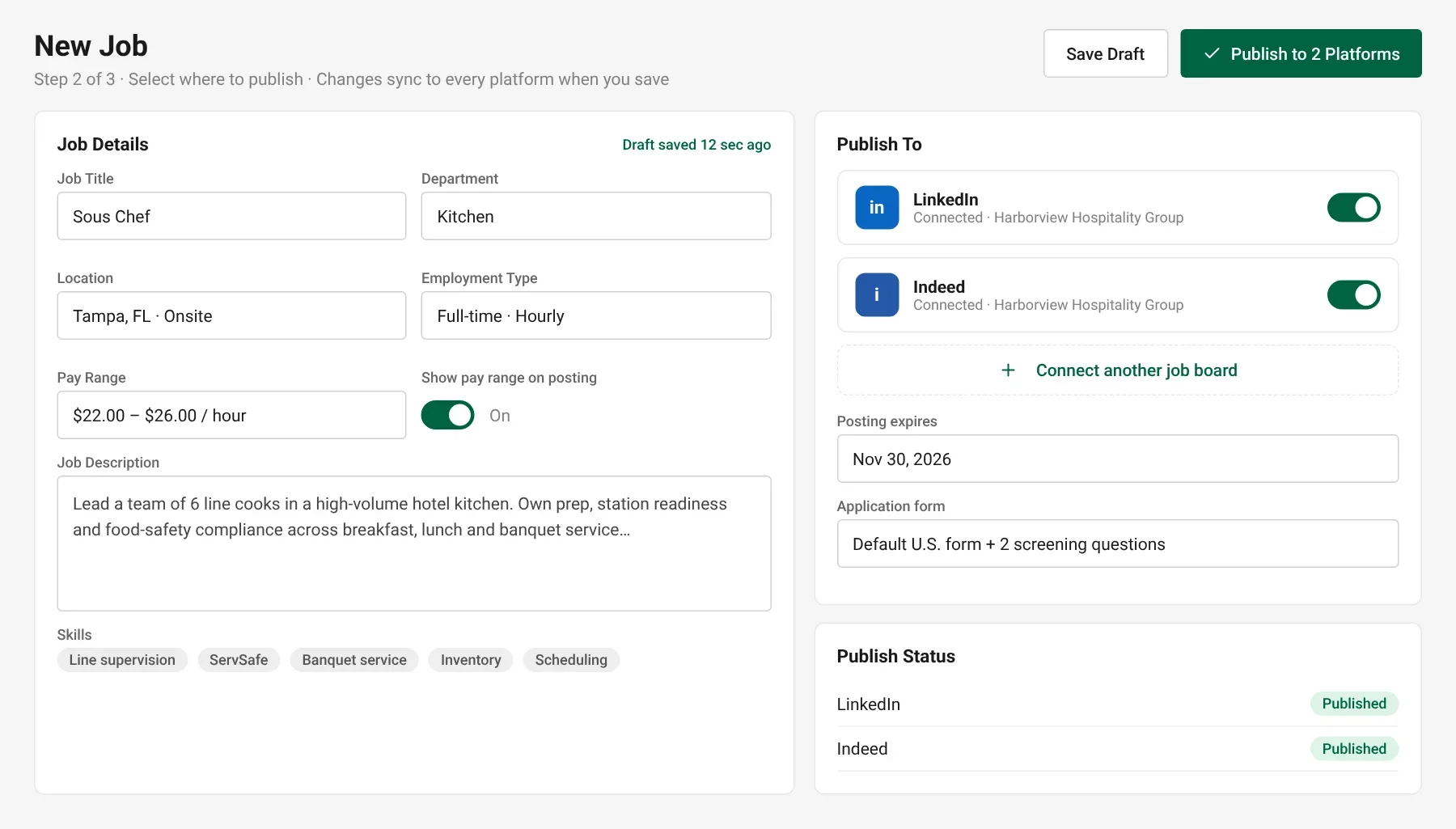
New Job — publish to connected job boards
Post jobs
Write the Job Once — Publish to Job Boards
Create a job with department, pay range and skills, then publish to connected job boards such as LinkedIn and Indeed from one screen. Applicants flow back into the same pipeline.
- ✓Pay range, location and employment type on every posting
- ✓Publish to connected job boards from one screen
- ✓Posting expiry dates and application forms per job
- ✓Save drafts and reuse templates for repeat roles
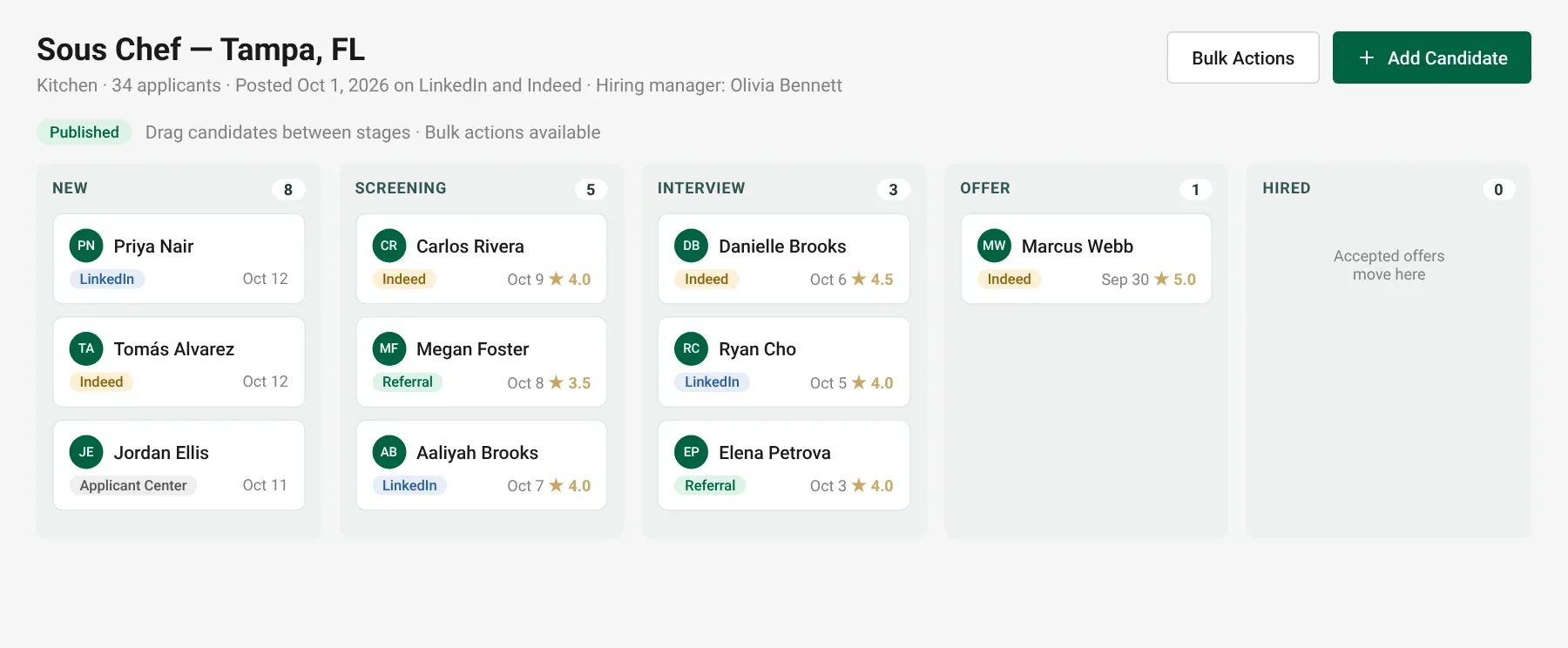
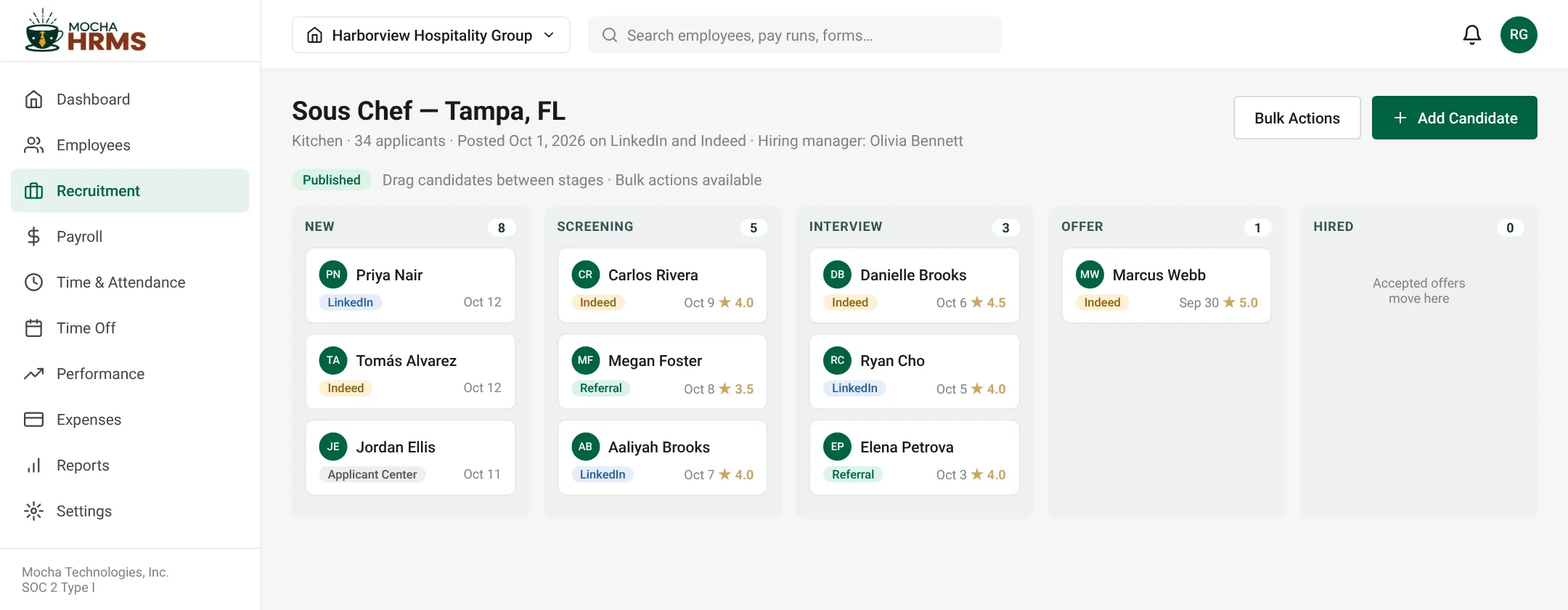
Pipeline — Sous Chef, 34 applicants
Hiring pipeline
Move Every Candidate from New to Hired
A kanban pipeline shows each candidate by stage — New, Screening, Interview, Offer and Hired — with the source and rating on every card. Managers see only their own roles.
- ✓Drag candidates between stages
- ✓Source tracking — job boards, referrals, Applicant Center
- ✓Star ratings and notes on every candidate
- ✓Reject or advance in bulk
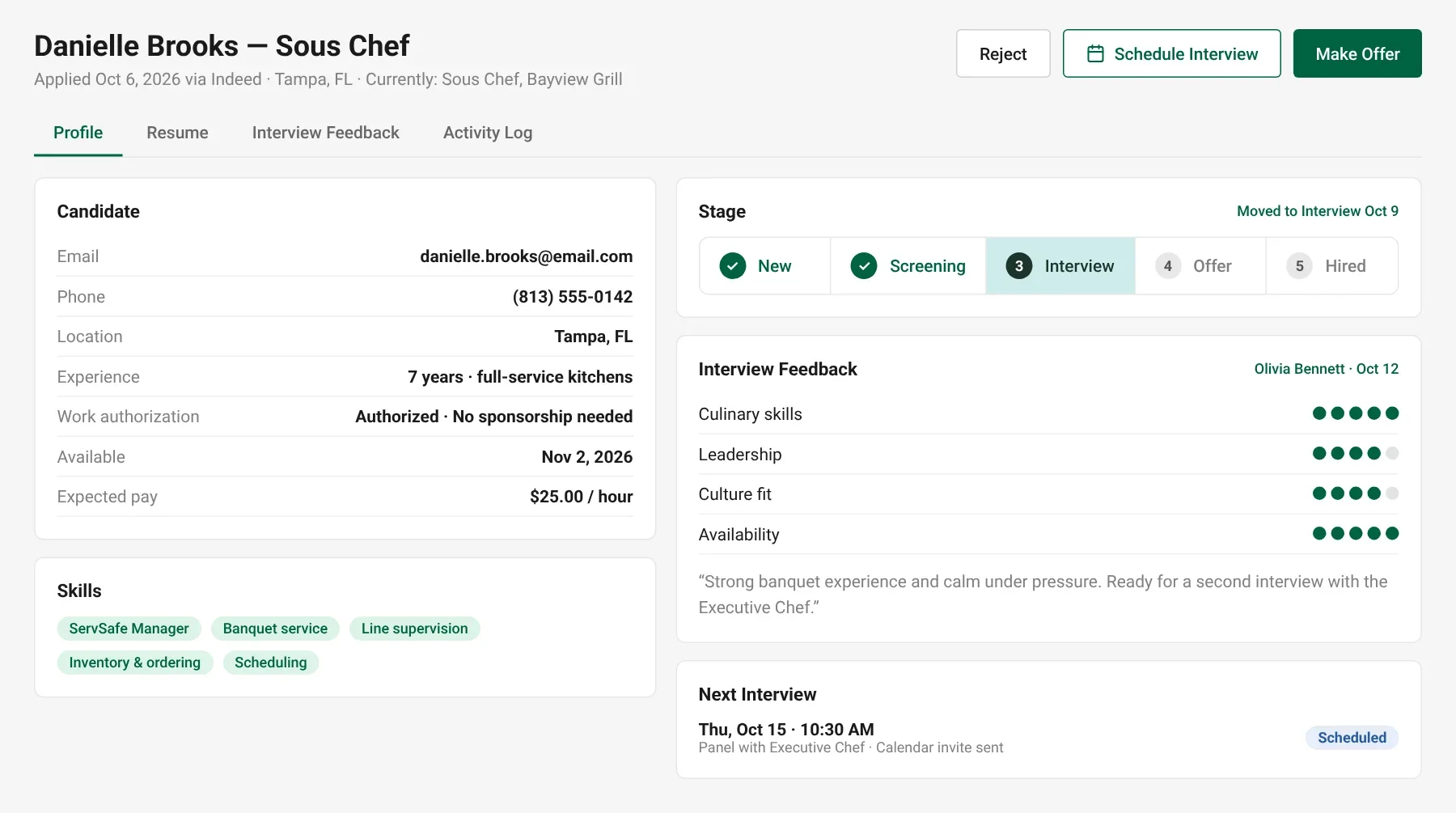
Candidate Profile — feedback, stage and next interview
Candidates & interviews
Interview Feedback in One Place — Not in Email
Each candidate profile holds the resume, interview scores, panel comments and next interview. Schedule interviews, record feedback and make the call with the whole picture.
- ✓Candidate profile with resume, skills and expected pay
- ✓Structured interview scorecards
- ✓Next interview and calendar invite status
- ✓Full activity log per candidate
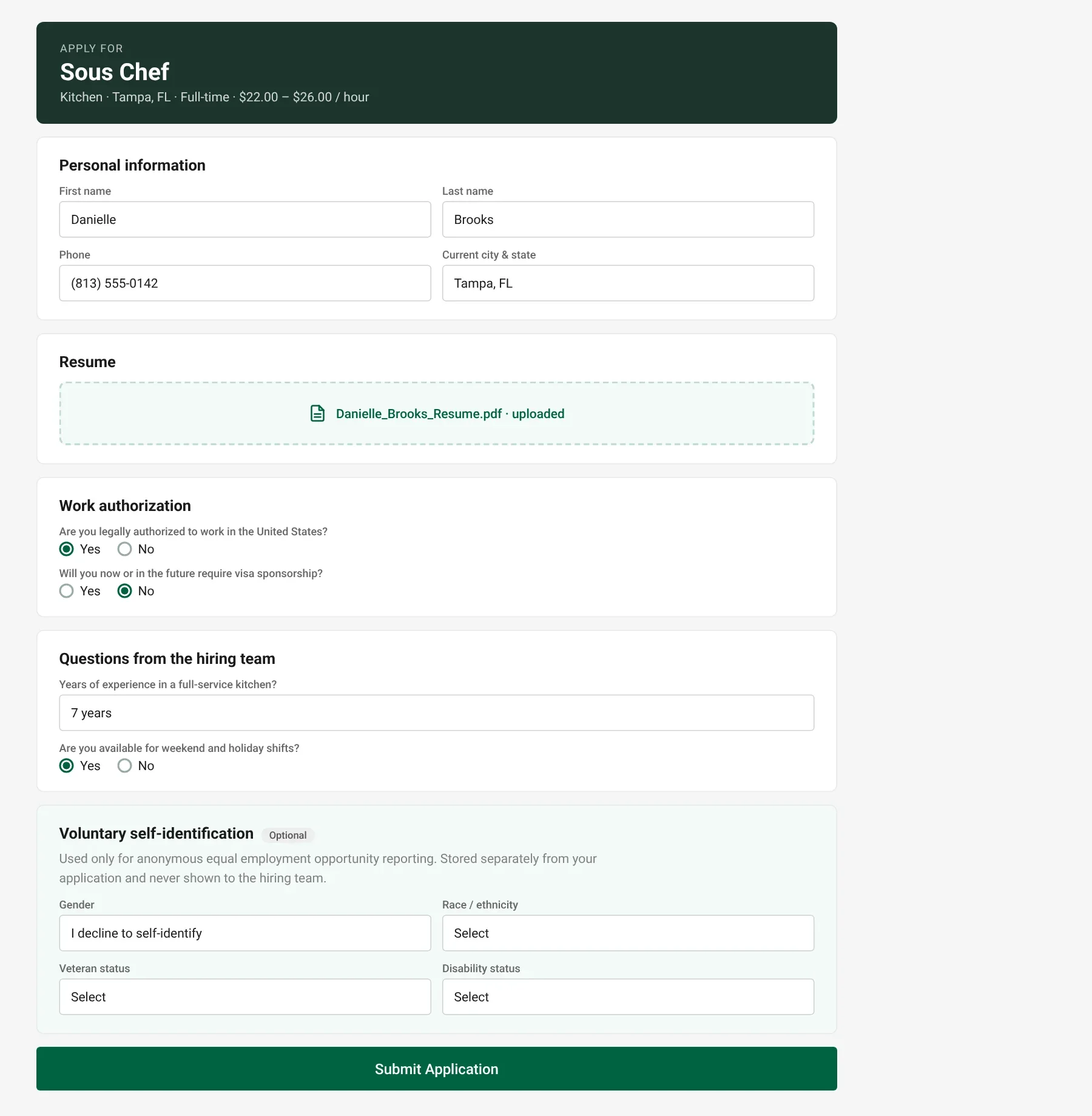
Applicant Center — what candidates see
Applicant Center
A Clean Application Form Candidates can Finish
Candidates apply from your Applicant Center page on any device. The form collects work authorization and screening answers, with voluntary EEO self-identification kept separate from the hiring decision.
- ✓Mobile-friendly application form
- ✓Work authorization and custom screening questions
- ✓Voluntary EEO self-identification
- ✓Resume upload and applicant confirmation
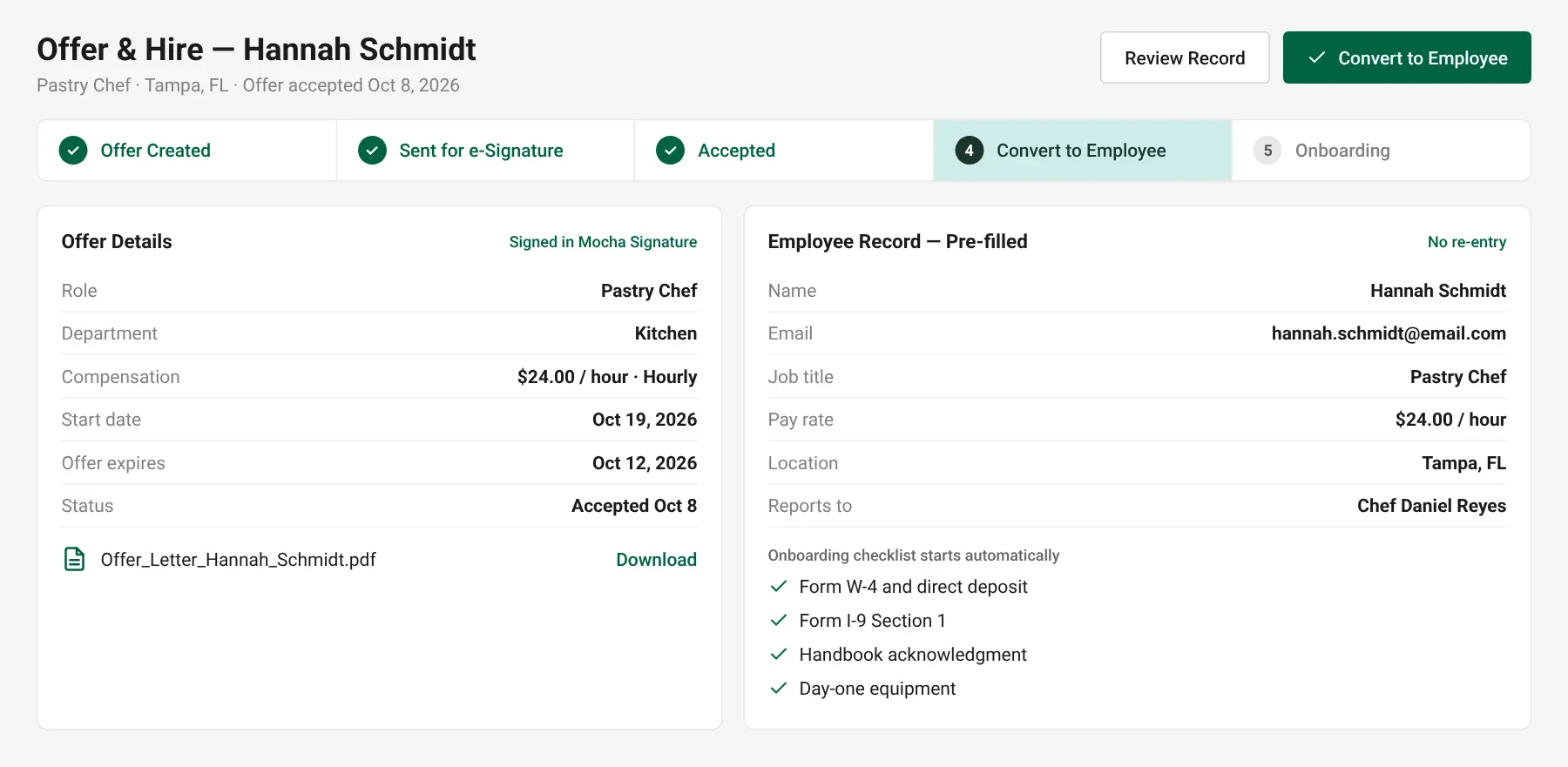
Offer & Hire — pre-filled employee record
Offers & hire
Accepted Offer? The Employee Record is Already Built
Send an offer for e-signature, and when it is accepted convert the candidate to an employee in one click. Name, job, pay rate and start date carry over, and the onboarding checklist starts automatically.
- ✓Offer letter with e-signature
- ✓Convert to employee — no re-entry
- ✓Form W-4, I-9 and direct deposit queued for onboarding
- ✓New hire appears in payroll after approval
Recruitment reports
Know Which Sources and Stages Deliver Hires
Track applicants by stage, time to hire and source performance, so you know where good candidates come from.
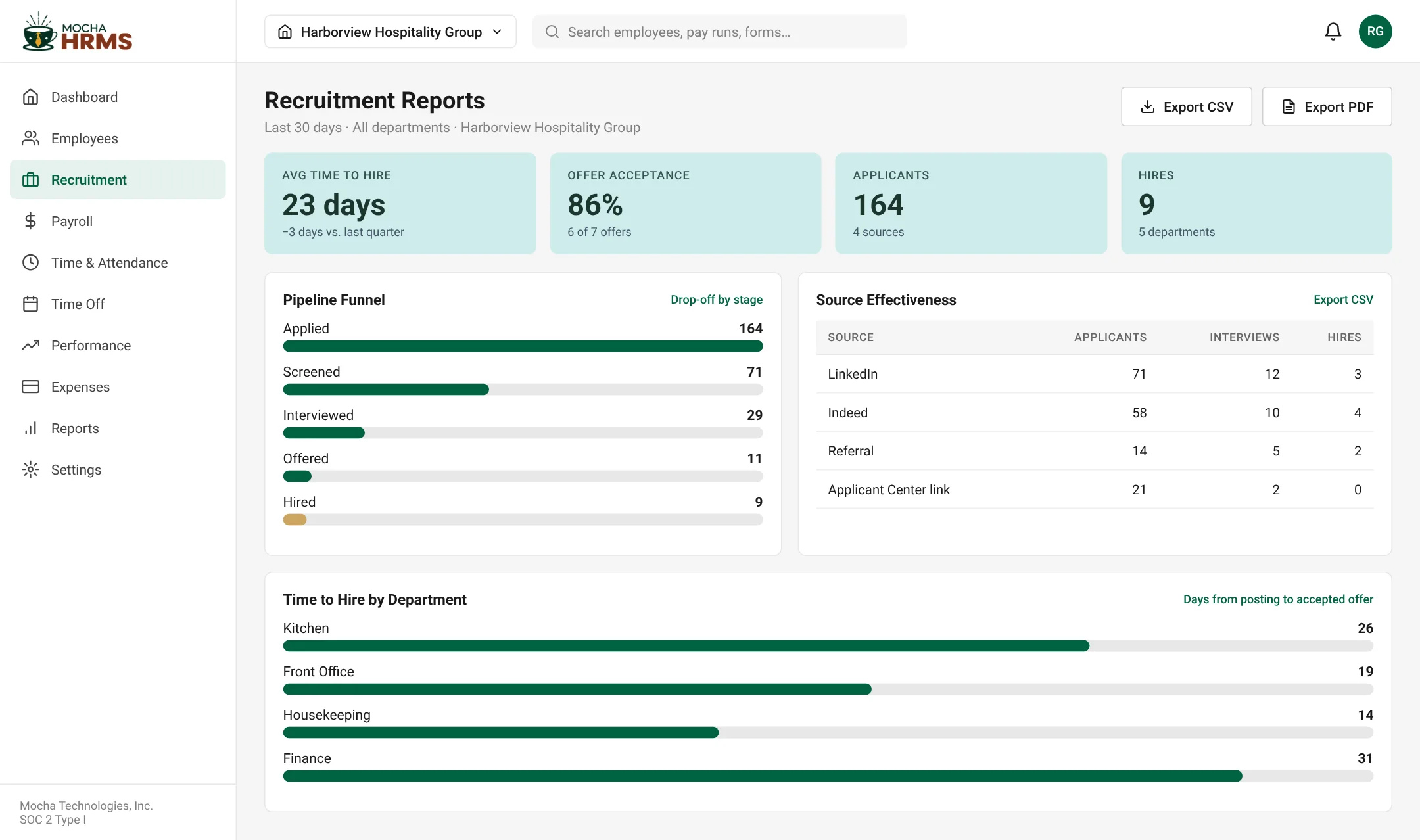
Recruitment Reports — funnel, source performance and time to hire
Screens show sample data for a fictional company.
Recruitment Questions, Answered
Didn't find your answer?
Book a quick 30-minute call with a product expert and get answers tailored to your needs.
Talk to a Product ExpertHire Faster. Onboard Without Re-Entry.
See the full path from job post to first paycheck — start your free 30-day trial.
Start Free Trial