








HR Automation Software for Expenses, Approvals & Access Control
Employee expense management, approval workflows, access control and compliance automation — all built into Mocha HRMS. Less admin, more accuracy.



Audit log

Approved
Olivia Bennett · Oct 13, 1:42 PM
Four pillars of HR automation
Built-in Automation across every HR Function
Every automation in Mocha HRMS is connected — expense approvals trigger payroll entries, access changes are logged, and workflow completions update employee records automatically.
Employee Expense Management
Employees submit expenses via Mocha Snap — with AI receipt scanning, mileage auto-calculation, and timer-based time reimbursements. Approved amounts flow directly into payroll.
Approval Workflow Automation
Multi-level approval chains for time off, expenses, timesheet corrections, and onboarding. Auto-escalation when approvers don't act. Every decision logged automatically.
Access Control & Org Structure
Configurable roles with module-level permissions. Define reporting lines and control exactly what each person can see — across every HR module.
Compliance & Security Automation
Tax table updates applied automatically. Full audit trails, encrypted data at rest and in transit, SOC 2 Type I audited controls.
Mocha Snap — employee expense management
Snap a Receipt. Submit in Seconds.
Mocha Snap is the built-in employee expense app. Employees submit from their phone — AI reads the receipt and fills the form. Managers approve. Approved amounts go straight to payroll.
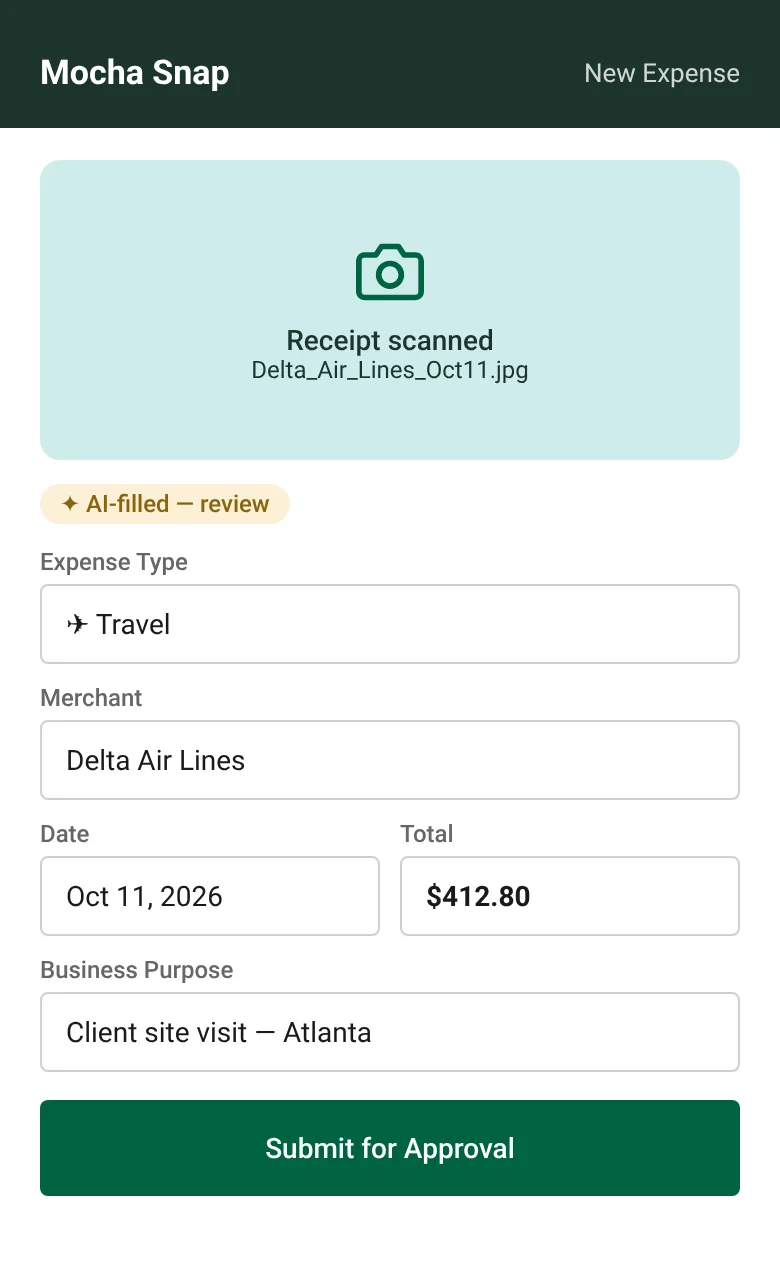
Receipt scan with AI auto-fill — flagged for review
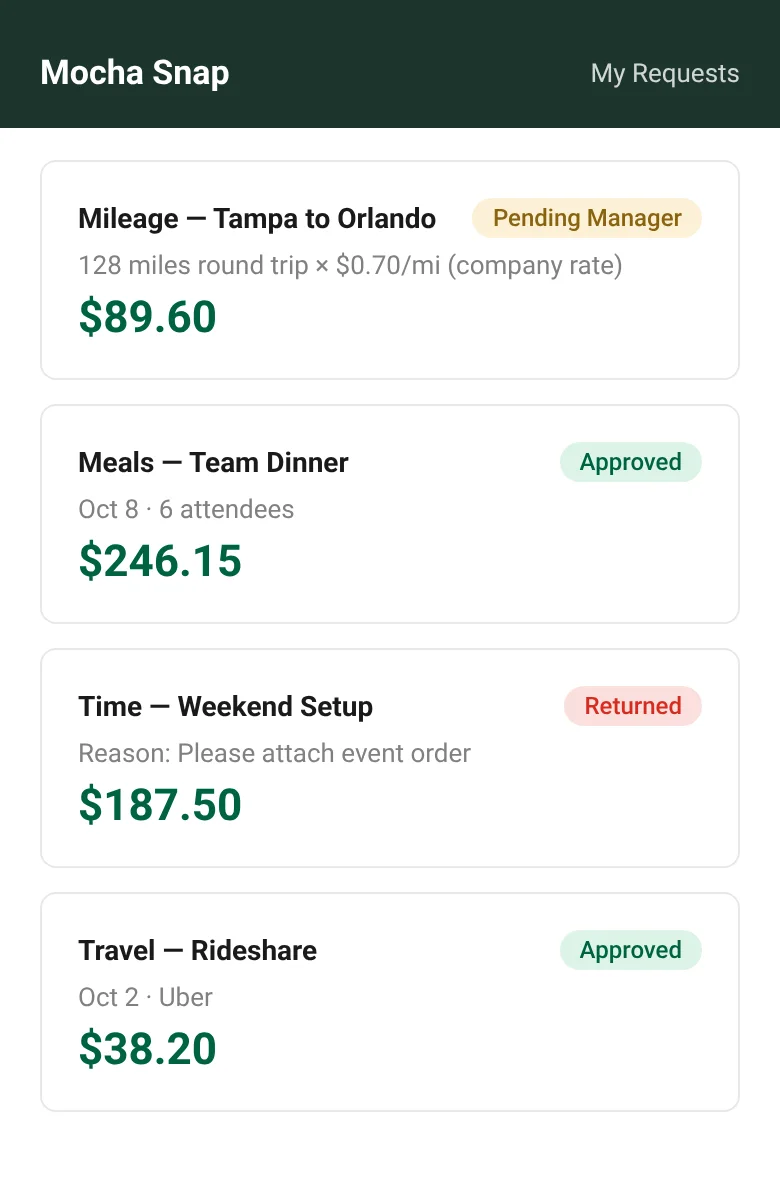
My Requests — status tracking for every submission
- ✓Works on any smartphone — no app install required
- ✓AI reads receipts in seconds with field-level auto-fill
- ✓Mileage calculated automatically — one-way or return
- ✓Timer entries calculate reimbursement at your configured rate
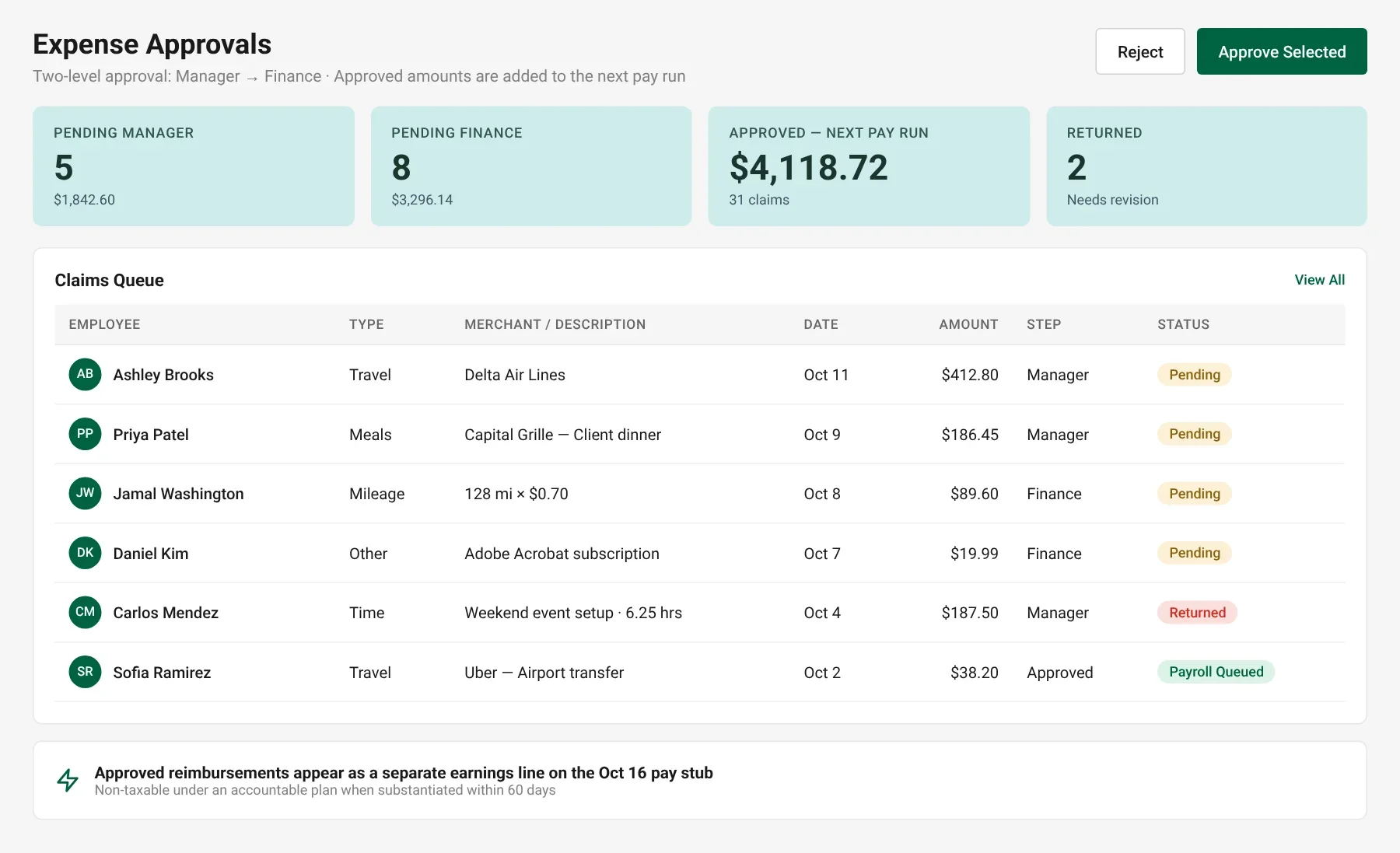
Expense Approvals — queue by step and status
Expense approvals
Manager, Then Finance — Then Straight to Payroll
Expense requests route through your manager and finance in that order. Declined requests return with a reason. Approved amounts are queued for the next pay run and appear as a separate earnings line on the pay stub.
- ✓Two-level approval — manager then finance
- ✓Declined requests returned with mandatory reason
- ✓Approved amounts queued for the next pay run
- ✓Full submission history visible to the employee
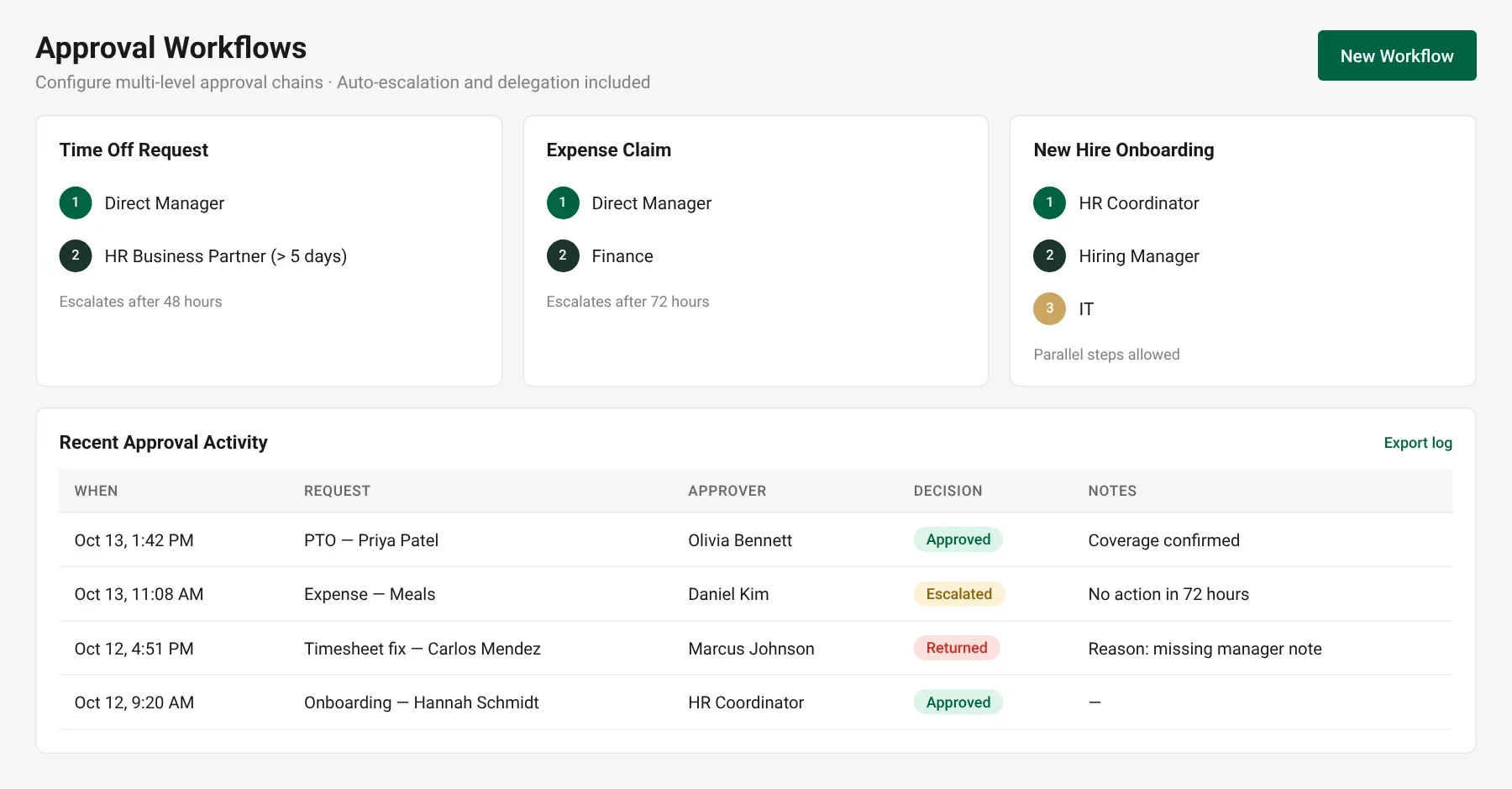
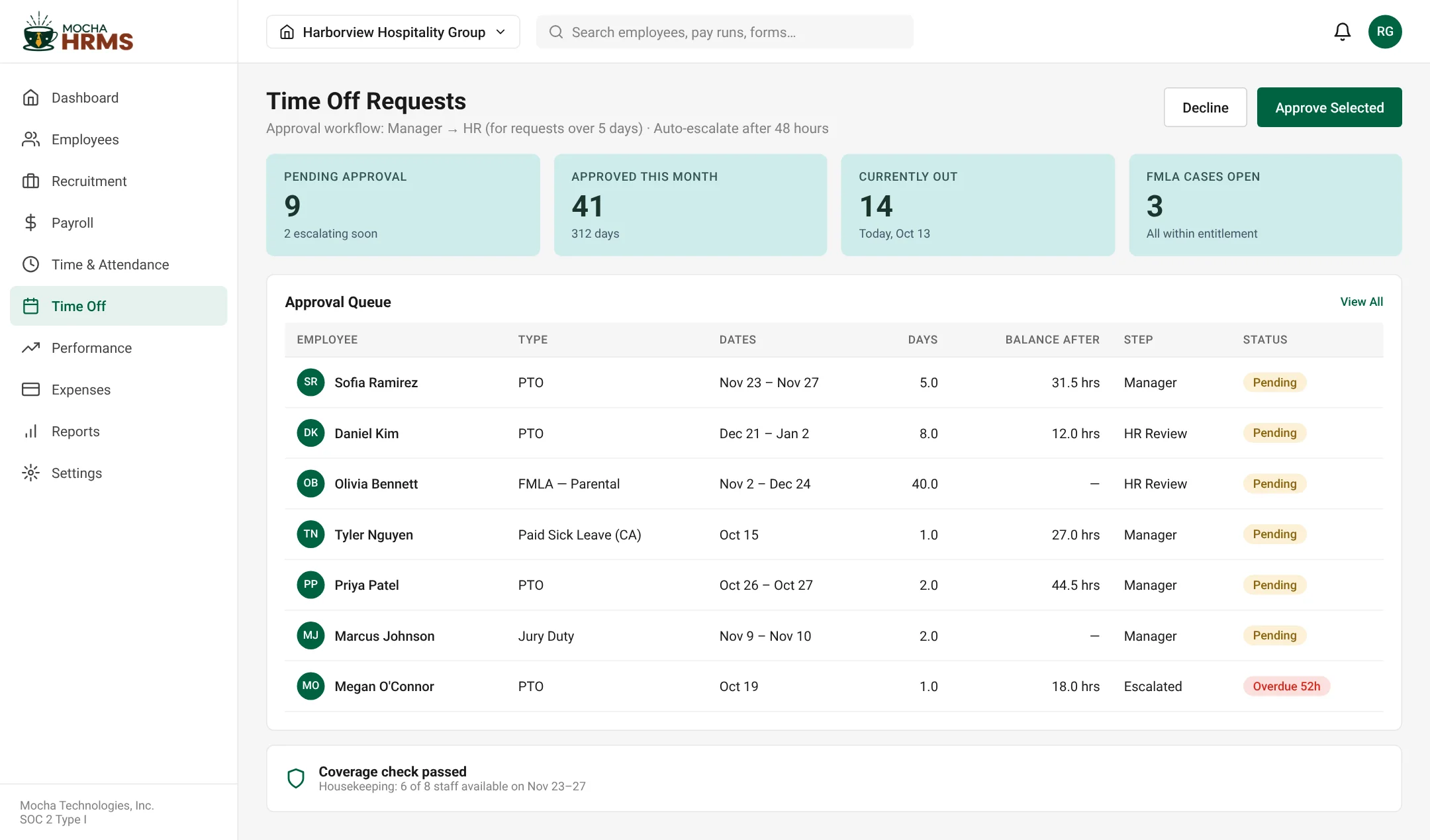
Approval Workflows — chains and recent activity
Workflow automation
Every Approval — Routed, Tracked, and Escalated Automatically
Mocha HRMS connects approval workflows across every HR function. Time off, expenses, timesheet corrections, and onboarding steps all move through configured chains — with auto-escalation when approvers don't act in time.
- ✓Multi-level approval chains — any sequence, any number of levels
- ✓Auto-escalation when approver window expires
- ✓Parallel approvals supported where needed
- ✓Every decision logged with timestamp and approver
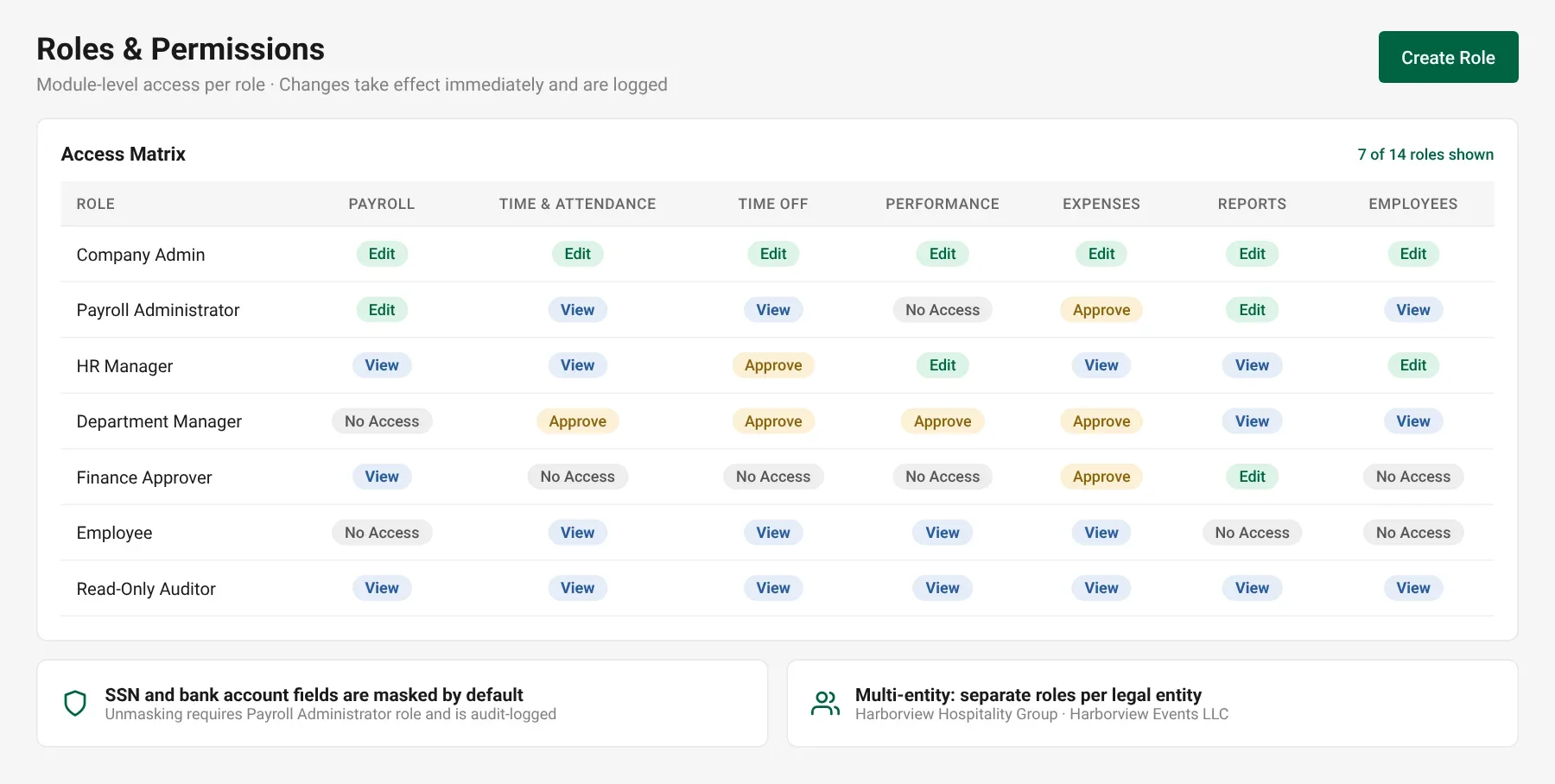
Roles & Permissions — access matrix by module
Access control & org structure
The Right People See the Right Data — Always
Build your org hierarchy and assign configurable roles that control exactly what each person can view, edit, or approve across every module. Access changes take effect immediately and are logged automatically.
- ✓Module-level access: View, Edit, Approve, or No Access
- ✓Sensitive fields such as SSN and bank details masked by default
- ✓Multi-entity support — separate roles per legal entity
- ✓Read-only auditor access for compliance reviews
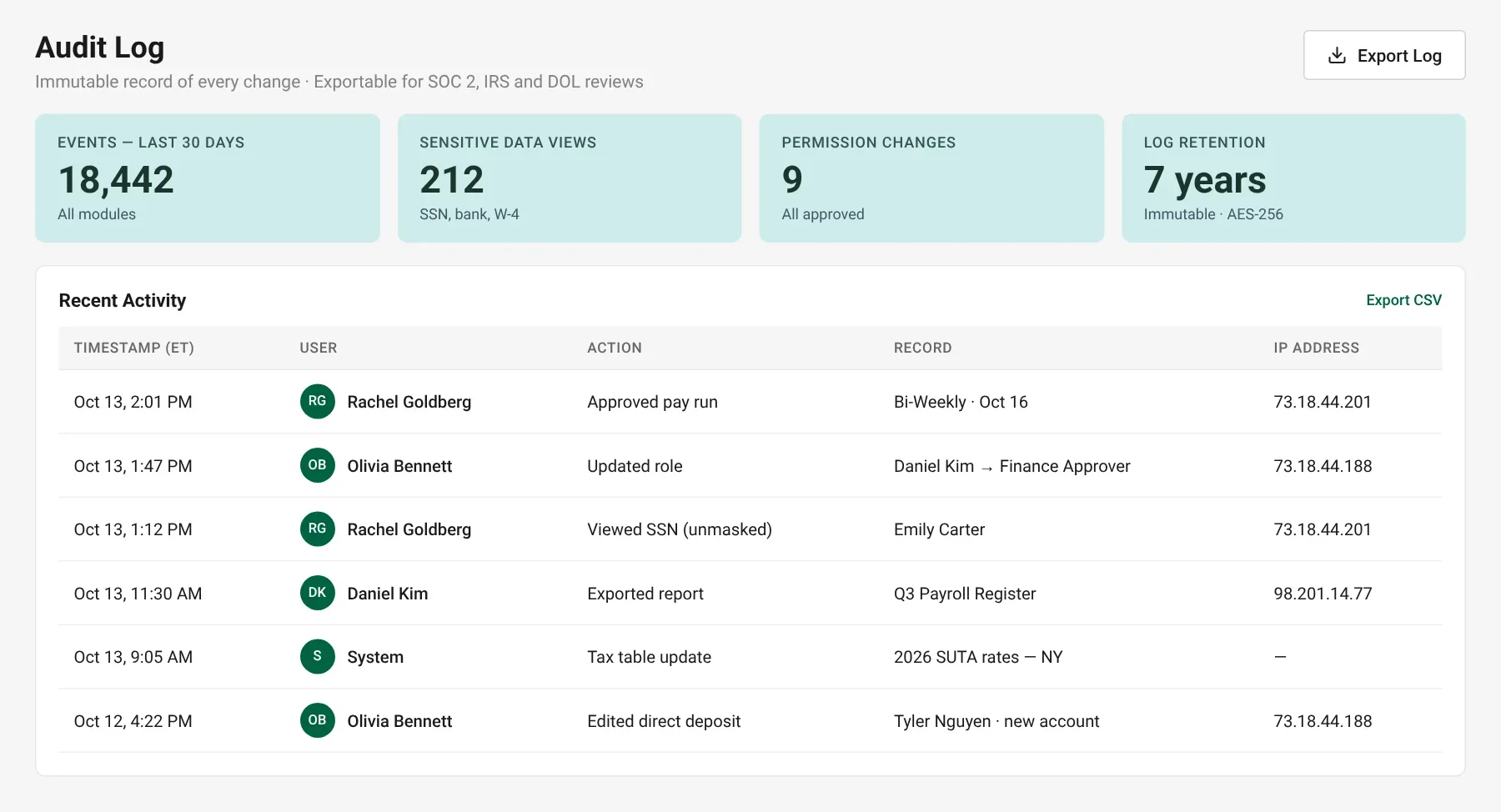
Audit Log — immutable record of every change
Compliance & security automation
Tax Rules Change. Your System Updates Automatically.
When federal or state tax tables change, Mocha HRMS updates automatically. All data is encrypted at rest and in transit, and immutable audit logs are exportable for any compliance review.
- ✓Tax table updates applied automatically
- ✓Immutable audit logs — every change tracked with user and timestamp
- ✓Sensitive data views recorded in the log
- ✓SOC 2 Type I audited controls
- ✓Logs exportable for audits and reviews
Common Questions
Didn't find your answer?
Book a quick 30-minute call with a product expert and get answers tailored to your needs.
Talk to a Product ExpertLess Admin. More Accuracy. Zero Manual Follow-up.
See how Mocha HRMS automation works for your business — start your free 30-day trial.
Start Free Trial