Elevate Every Invoice with Customizable Design
With QuickBill’s invoice templates, you can design, customize and send professional invoices that reflect your brand identity, meet compliance standards and delight your customers — all without touching a single line of code.
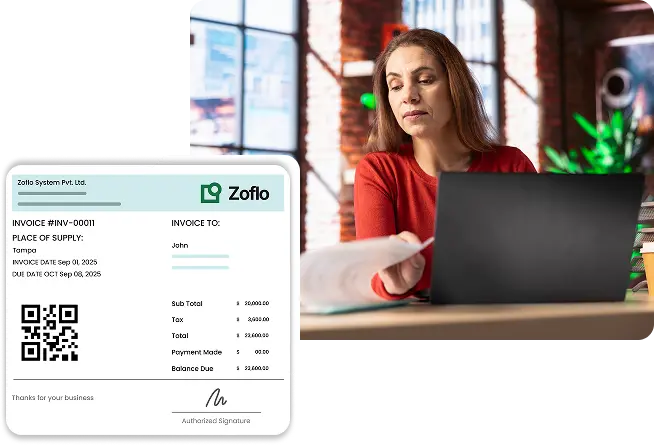
Key Invoice Template Capabilities with Mocha QuickBill
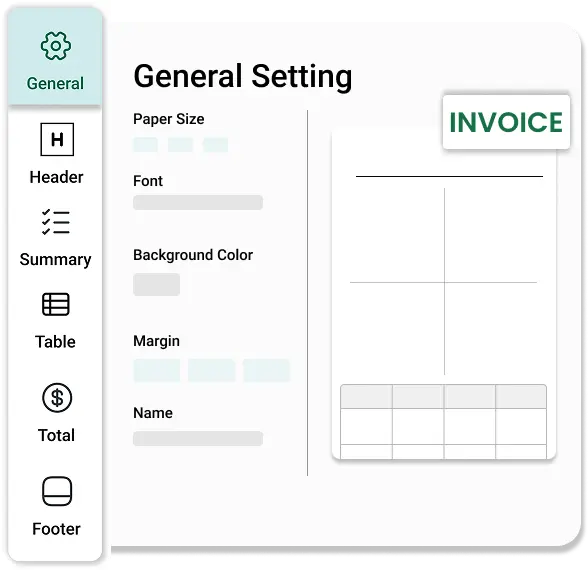
Ready-to-Use Professional Templates
Start billing instantly with beautifully designed templates. Pre-built layouts tailored for various industries and business types. Optimized for readability, branding and compliance. Works seamlessly across PDF, email and print formats
Complete Customization Control
Personalize every element of your invoice to fit your brand. Add your logo, brand colors and typography. Configure layout sections — from itemized lines to tax and notes. Add payment terms, custom fields or multilingual labels effortlessly
Dynamic Data Integration
Keep invoices accurate and up-to-date, automatically. Auto-populate customer, tax and payment details. Real-time sync with the product catalog and customer data. Eliminate manual edits with smart placeholders and live fields
One Template, Multiple Channels
Deliver consistent invoice experiences across every medium. Generate downloadable PDFs instantly. Embed invoices directly into customer emails
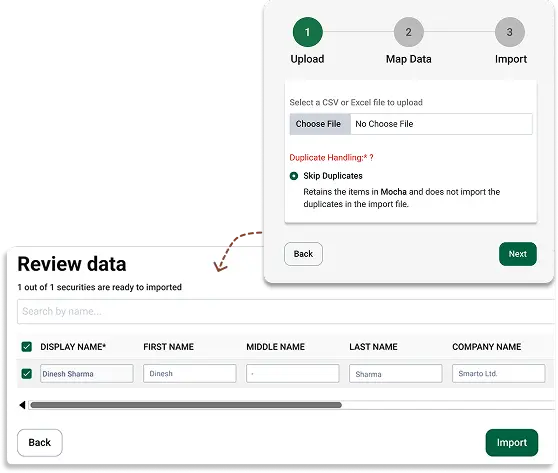
Designed for Brand Impact, Built for Speed
With QuickBill’s invoice templates, every invoice looks clean, professional and on-brand — without any design effort. Empower your teams to deliver consistency, accuracy and elegance — every single time.
Why Businesses Choose Mocha QuickBill?

Quick Invoices
Create professional invoices in minutes, not hours

Brand Consistency
Ensure brand consistency across every invoice sent

Eliminates Errors
Eliminate manual formatting errors
What Our Clients Have to Say

Mocha Accounting Software is easy to learn and simple to use and has more functionalities than other software in the market. I switched from QuickBooks for my business, and I don't see myself using another accounting software again.

Mocha is intuitive and user-friendly, making tasks like invoicing, expense tracking, and financial reporting much simpler. It not only saves time by reducing human error but also improves the reliability of Financial Reporting.

Mocha Accounting is modular, easy-to-use accounting software. It offers everything its competitors offer, but beyond that, Mocha's USP is the customisation they can offer to match your industry and business's custom requirements.
Frequently Asked Questions
They are ready-made, professional invoice layouts. You can design, customise and send invoices that match your brand and meet compliance standards.
No. You can customise every part of an invoice without writing any code.
Yes. There are pre-built layouts for different industries and business types, designed to be easy to read, on-brand and compliant.
Your logo, brand colours and fonts. You can also arrange layout sections such as item lines, tax and notes, and add payment terms, custom fields or labels in other languages.
No. Templates fill in customer, tax and payment details automatically. They stay in sync with your product catalogue and customer data through smart placeholders and live fields.
Templates work for PDF, email and print. You can download PDFs instantly or place the invoice directly inside customer emails.
Yes. One template gives the same look on every channel, so every invoice you send matches your brand.